For example from a 1 day course to a 3 day course or from a group lesson to a private lesson.
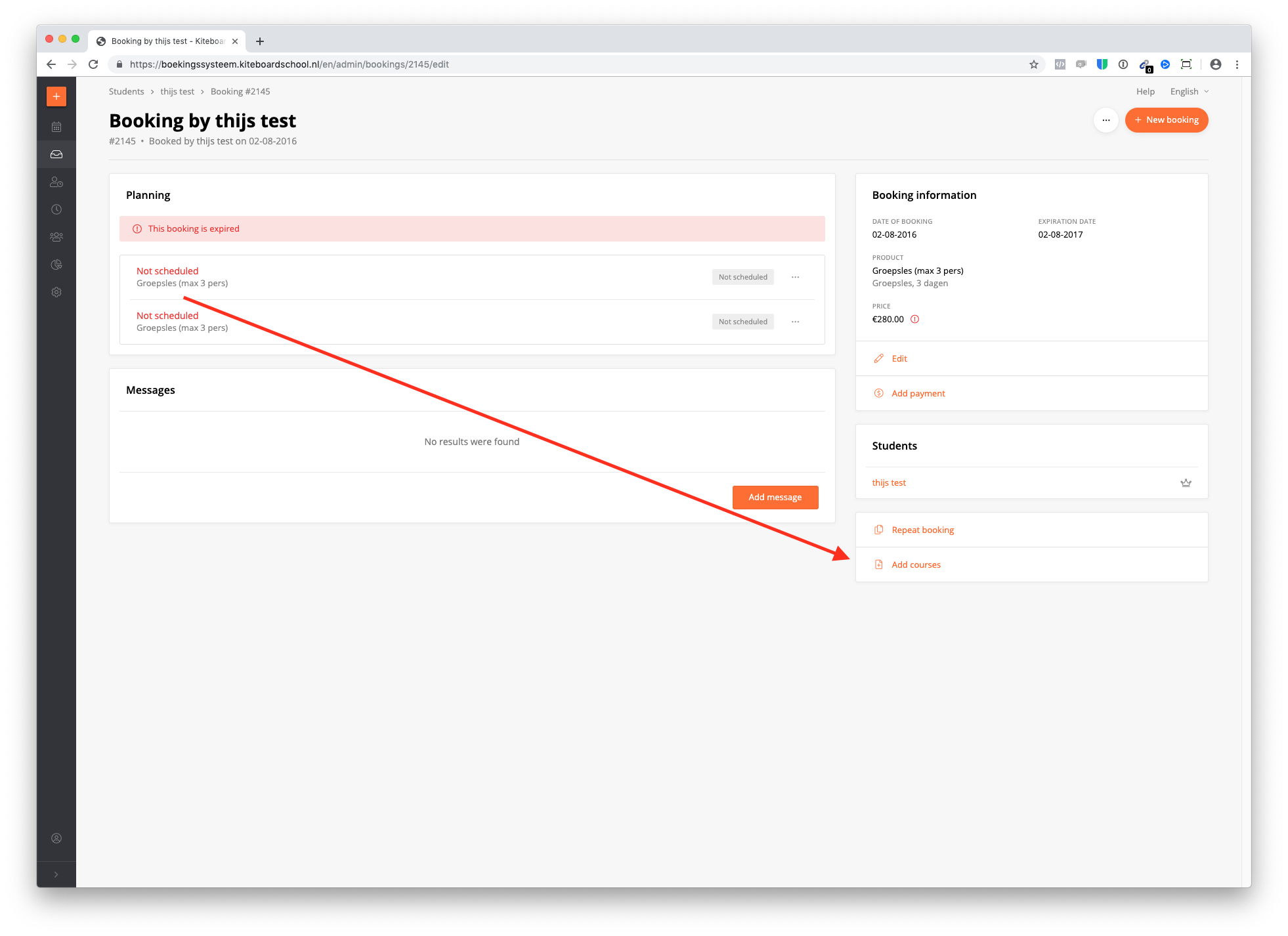
Add any product to the booking
You can add any product to the booking with the 'add courses' button. Now add the number of days you wish to add. Possibly choose a date & click save. Now change the price of the booking.
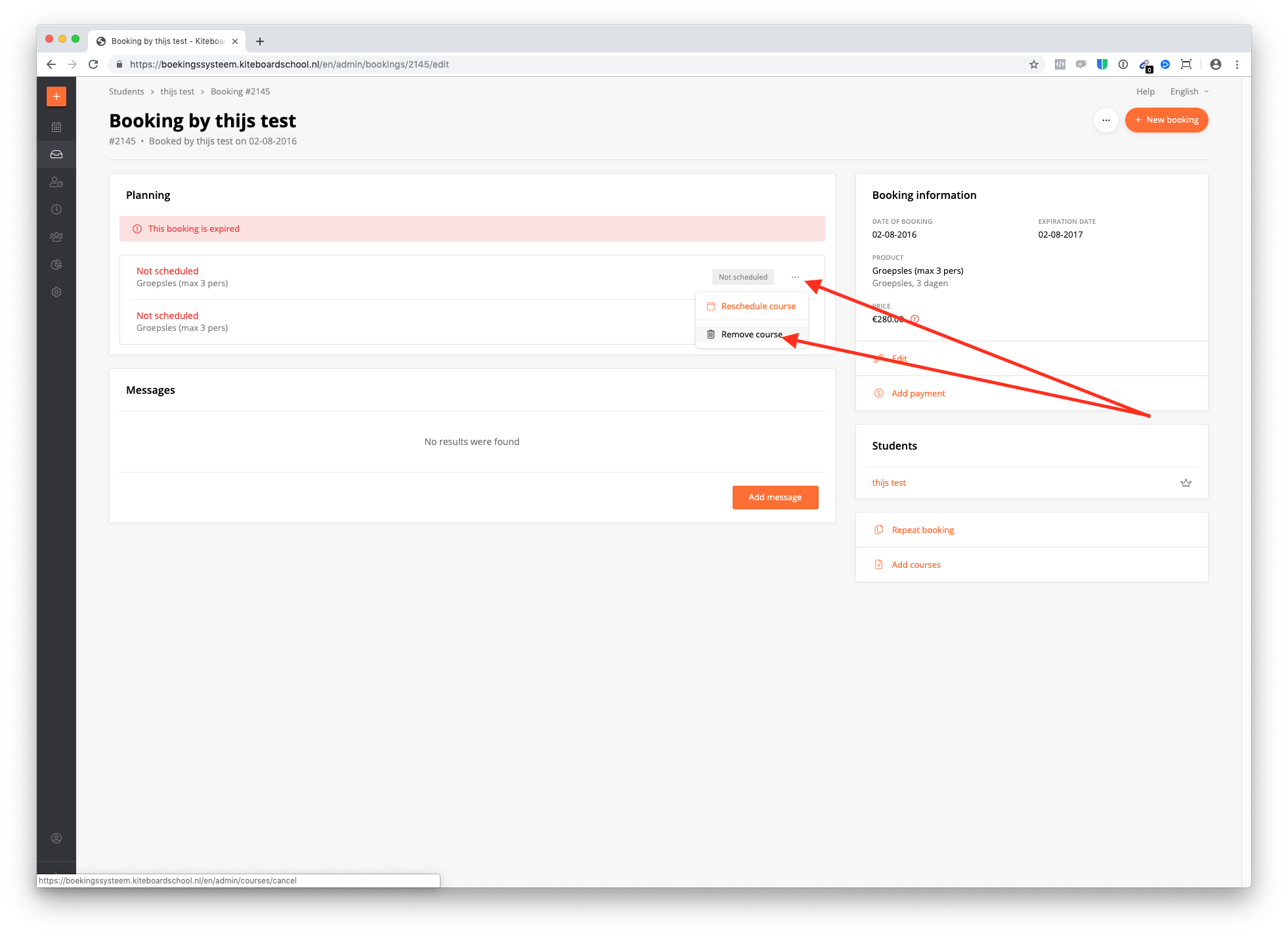
Remove courses from a booking
You can delete any product by clicking on the 3 dots and delete. After changing a booking, don't forget to change the price.