This functionality is designed to fill up your planning more easily. Viking now allows you to directly email customers who have open/unscheduled lessons.
This is not a marketing functionality. Avoid your messages being marked as spam: only use 'find and mail' for functional information related to a booking (like when to schedule a lesson). Always use a dedicated newsletter service like Mailchimp for promotional offers.
Sending too many emails, too often, with too much emphasis on marketing, can result in all your emails (also booking confirmations) being marked as spam. Viking Bookings cannot undo this for you. Use 'find and mail' on your own risk.
Best practices for transactional emails:
• Keep it clean and short
• Don't use (m)any images
• Don't use all caps
• DO use a spell check
• Keep it clean and short
• Don't use (m)any images
• Don't use all caps
• DO use a spell check
1. Enable and set up the email template
By default this email template is disabled, so first enable it:
In Settings > Email templates > Find and mail, you can create a default message and set this to 'enabled'.
- Make sure to insert the 'planner message' variable. This is where your custom text will be inserted when using the find and mail function.
- The idea is to suggest specific dates and times with the planner message, so write your template with that in mind.
- Don't forget to add the translation for other languages that you are using.
2. Mailing your customers
Go to Reports > Find and mail.
You will only be able to see bookings with 1 or more unscheduled courses here.
Bookings for which all courses are already scheduled, or completed bookings, will not show up!
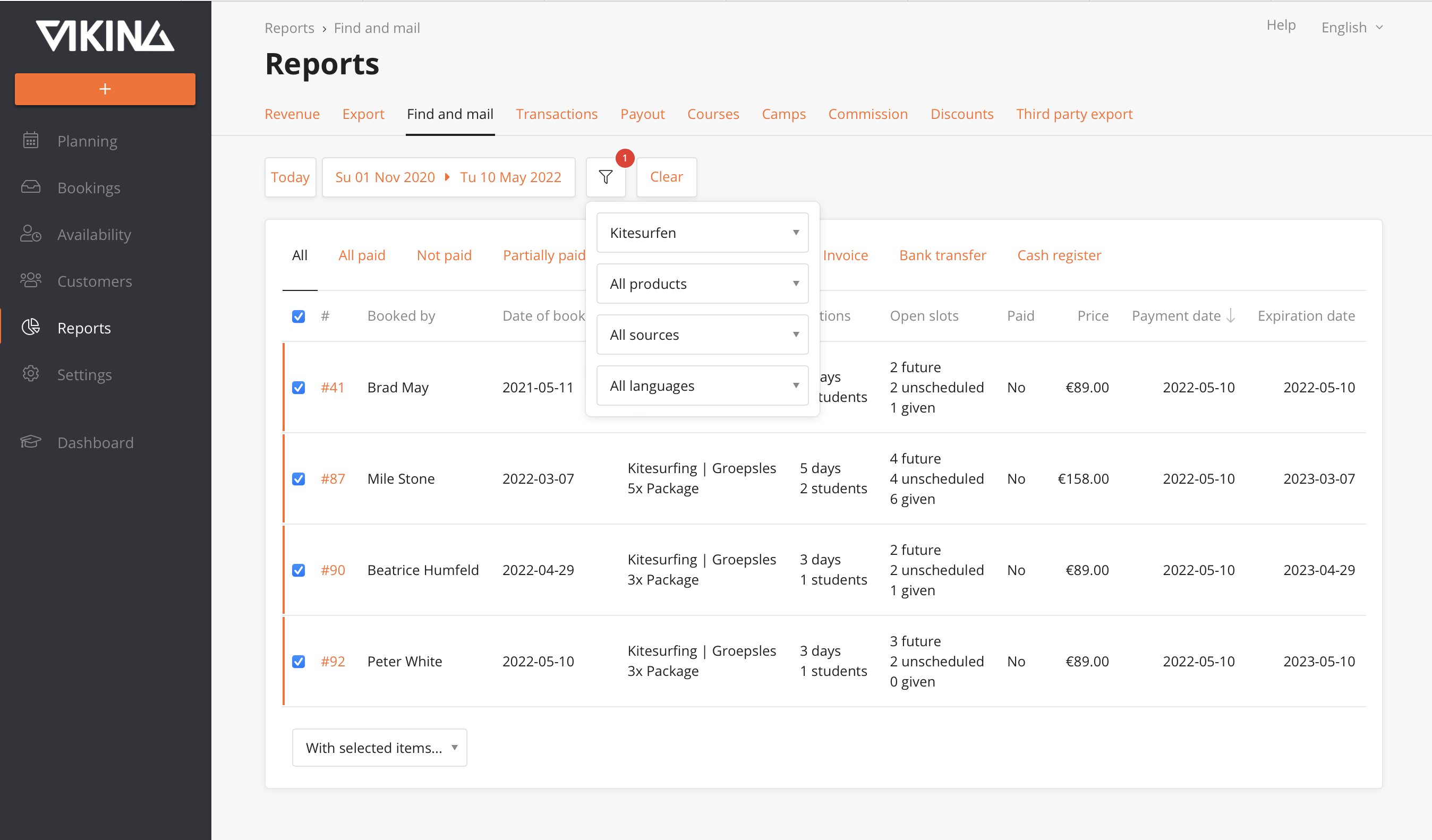
- Select the date range for which you want to find bookings (default set to last month).
- Use the filters to target specific categories or products.
- Select the relevant customers with the checkbox (or select all).
You can select up to 100 bookings at once, and only on the same 'page'. - To send the email: 'With selected items > Send email'
We repeat: use this function with care and only for its intended use: transactional emails.
Planner message
You will be prompted to enter a Planner Message. This is where you put specific dates for the upcoming week(s):
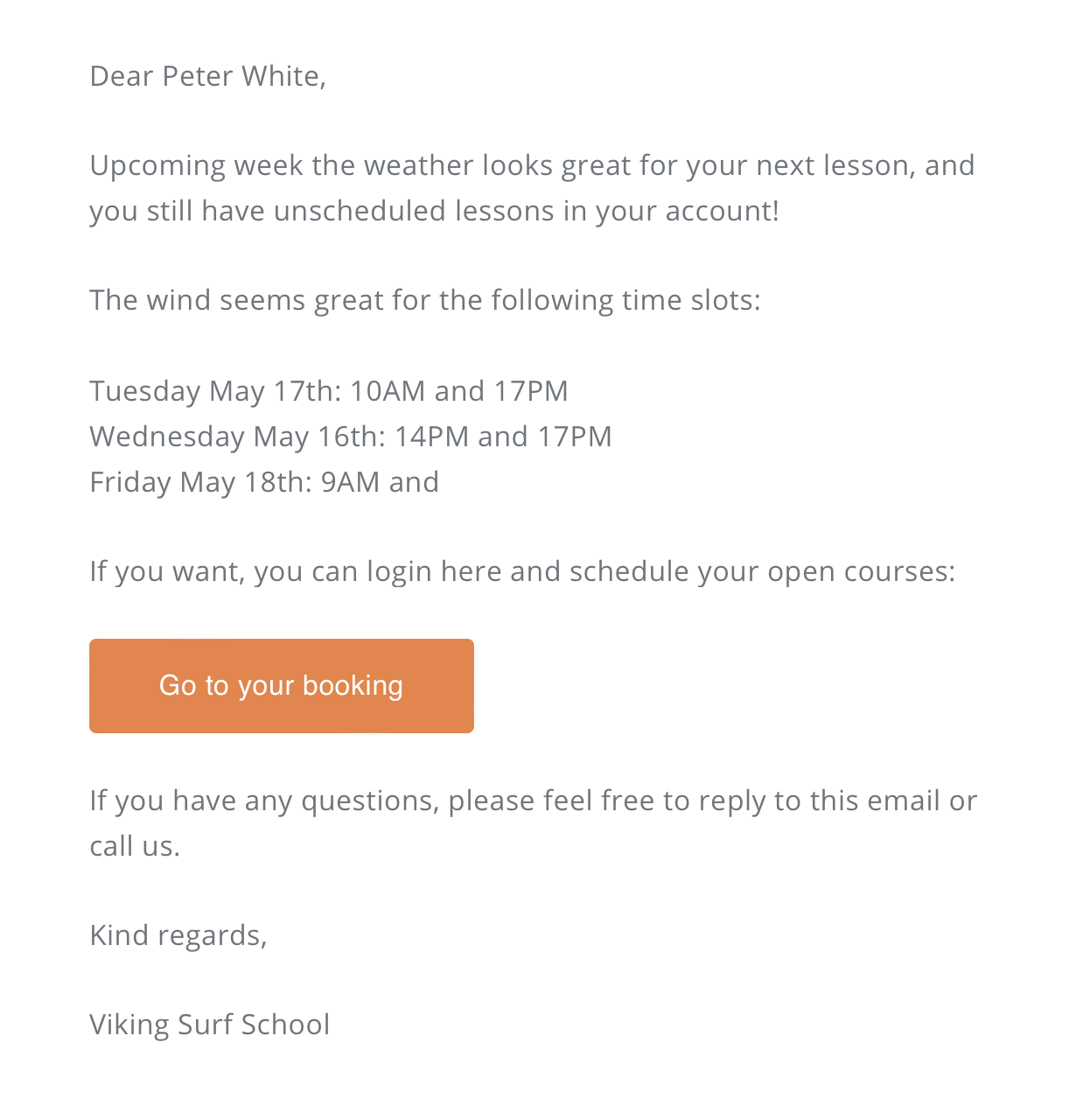
The wind seems great for the following time slots:

Tuesday May 17th: 10AM and 17PM
Wednesday May 16th: 14PM and 17PMFriday May 18th: 9AM and 11AM
These lines will be inserted in the email template, so the customer will receive the following message: