Here is an example page on how to use gift vouchers in these times:
https://kiteboardschool.nl/en/gift-voucher/
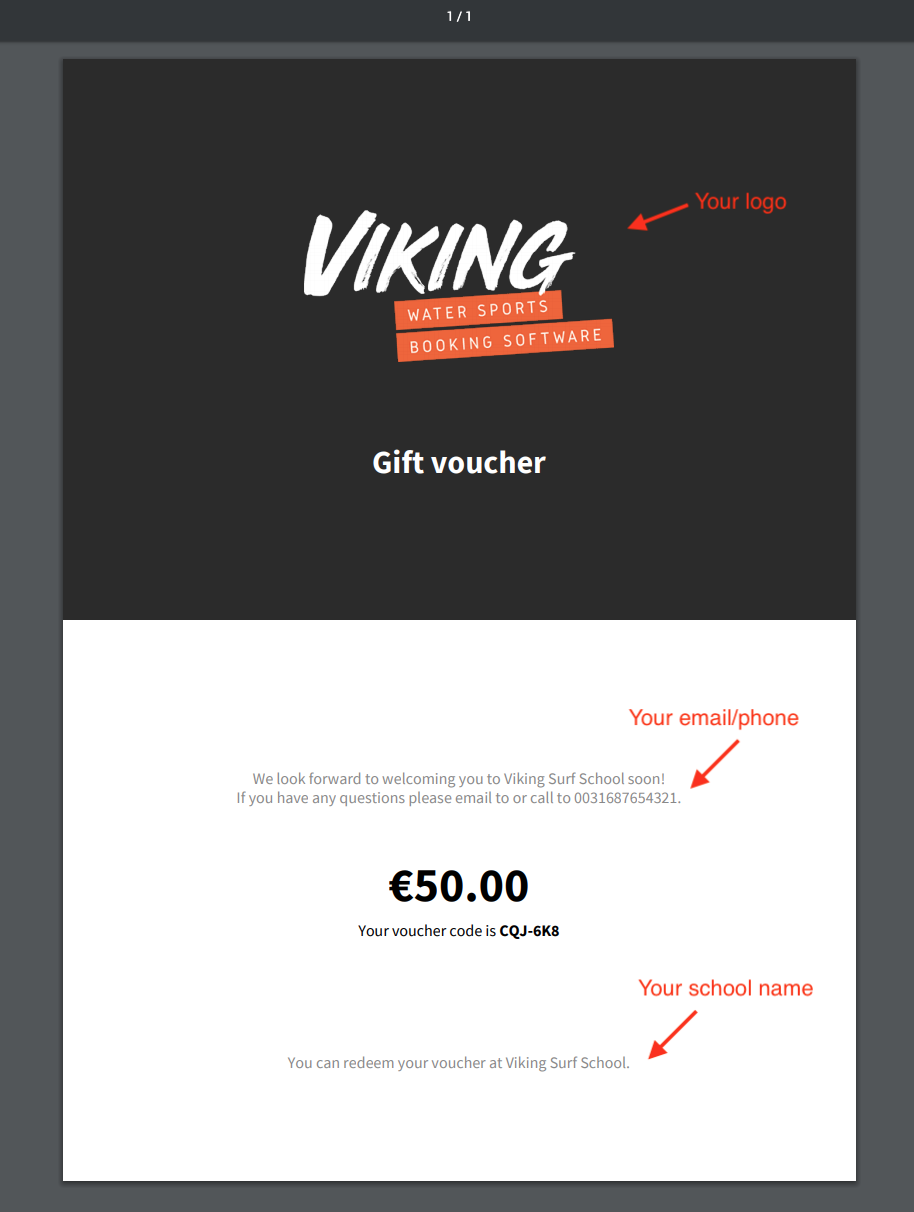
Now that it's possible to use Discount Codes in Viking, we have also created the possibility for your school to offer Gift Vouchers that your customers can buy and give to friends and colleagues, etc. In a new widget that you can embed on your site, customers can select an amount, fill in their e-mail and pay for the voucher. Then they get a voucher code and can download a pretty lookin' PDF with your school's logo, and the discount code they can use in your booking form! Setting this up is easy:
Enable gift vouchers
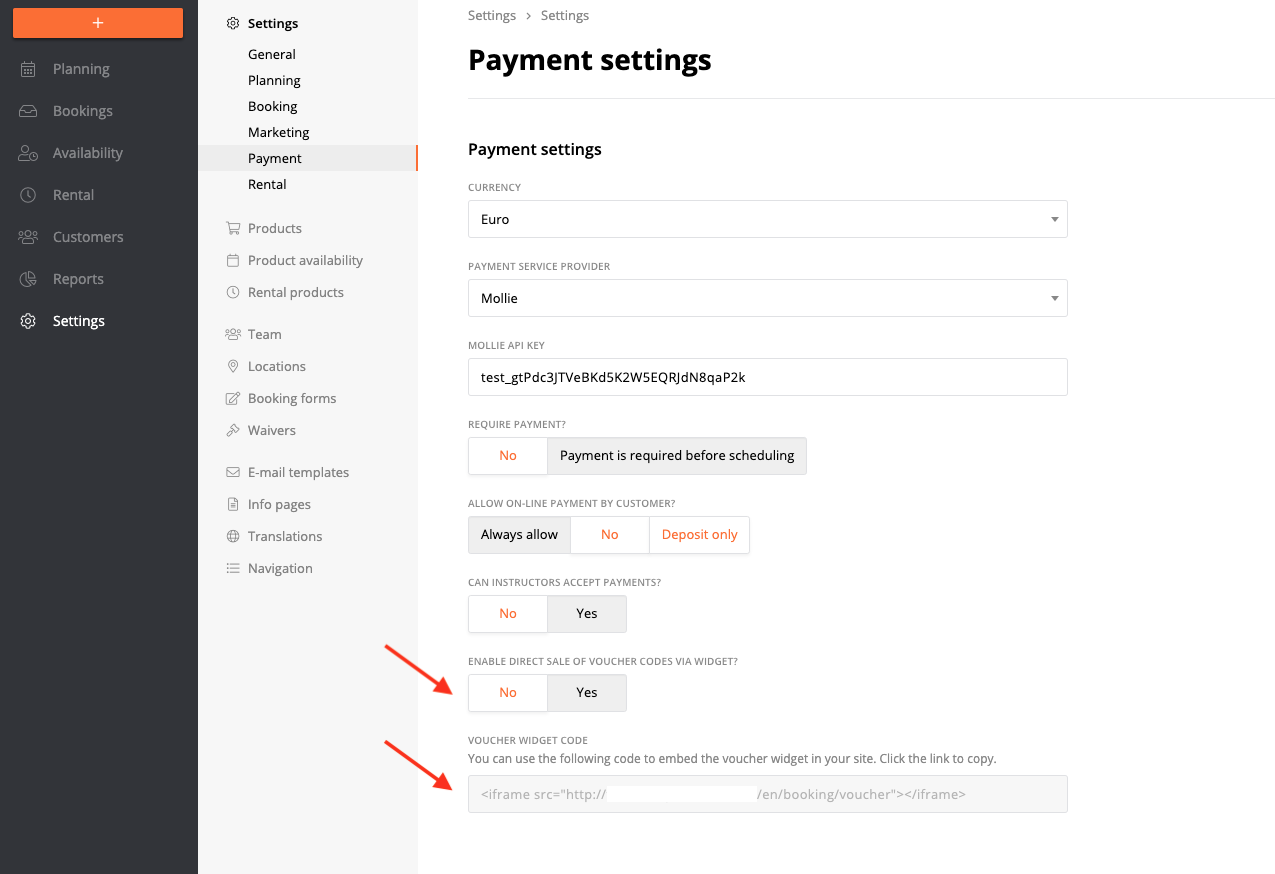
Go to 'Settings > Payment' and set 'Enable direct sale of voucher code via widget' to 'Yes'.
Embed the widget on your website
A new widget code will appear, copy the code and paste it to a page on your website, where you want the customer to be able to buy gift vouchers. This works the same as embedding our booking form on your website.
Now you're good to go!
- Make a test purchase of a gift voucher to be sure the process works and to know the flow for your customers (an email to your customers will be send after the purchase with the PDF giftvoucher, see step 3 in this article)
- Add your school's website address to 'Settings > General > Website URL' so this can be communicated to customers on the voucher.
Managing existing gift vouchers
Once a customers buys a Gift Voucher on your website, a new entry is made at 'Settings > Products > Discount Codes > Personal'.
The name is 'Voucher for <name (email)>'. So you can always find existing vouchers here and check if they have already been used or not. Be very careful with deleting vouchers, since customers have already paid for them!
PDF Settings
The PDF is automatically generated based on the information in your general system settings!