Newsletter
Select how you want to handle newsletter subscribers.
No newsletter
Disables newsletter subscriptions though Viking. You will still be able to export customer details if needed, but they would not have opted-in for a newsletter.
Newsletterwith mailchimp
Select this option and connect your mailchimp account by entering your Mailchimp API key and your Audience ID.
Find your API key
Find your Audience ID
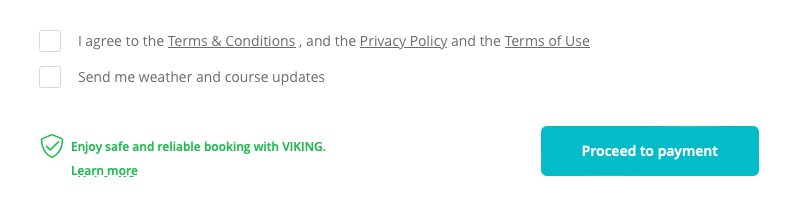
Once your details are saved, every booking will automatically show a checkbox at the final step of the booking process, allowing customers to 'Sign up for newsletter subscription'.
Checking the box will automatically add the customer to the chosen 'Audience' (list) in your Mailchimp account.
Custom newsletter
Select this option if you want to use any other newsletter provider like Brevo, Omnisend or similar. By enabling custom newsletter, the booking form will also a checkbox giving customers the option to subscribe to the newsletter.
This status is now saved in your Viking account. In the Customers menu, you can now toggle 'Subscribed to newsletter' to export the email addresses of your subscribers to a .csv (Excel) file and import them to the newsletter platform of your choice.
 Tips:
Tips:
You can change the exact wording for the newsletter checkbox in Settings > Translations.
Find the default string called 'I want to receive the newsletter' and change it to the wording of choice. For instance:
"Send me weather and course updates"
"Subscribe to the newsletter"