Viking 6.7 introduced a full log of the scheduling actions in Viking (approving, cancelling, or 'notifying' a lesson).
The logs are displayed in 3 different places in the system:
1. Cancellations overview in the planner
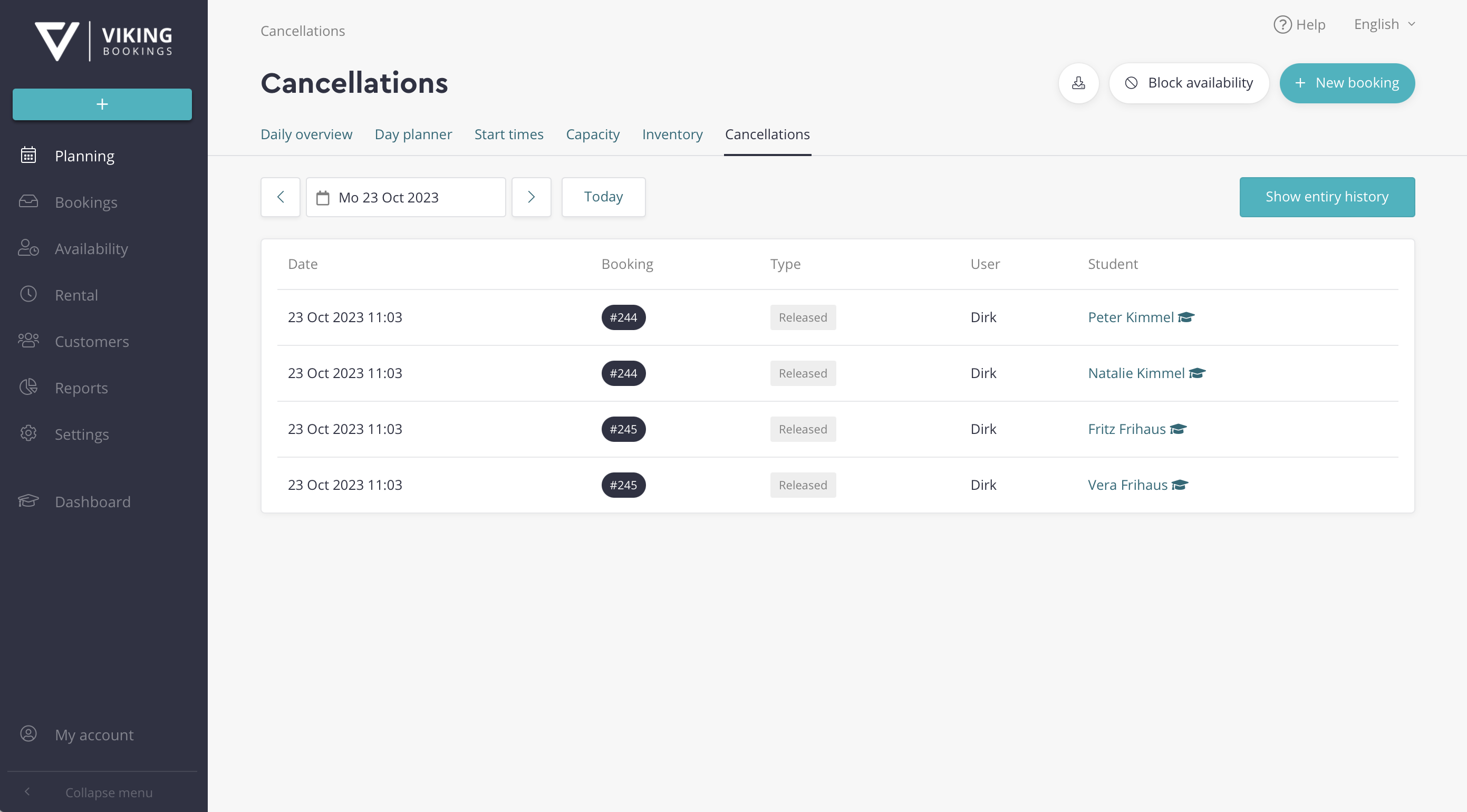
The cancelled (released) courses show up on the day that they're cancelled. So if a lesson is scheduled on the 24th, and you cancel it the day before on the 23rd, this lesson will only show up in the cancellations list of the 23rd.
- The button 'Show entire history' will display a list of the entire history, of just the cancelled courses (not 'approved' or 'notified').
- The full list also shows the date on which the lesson was cancelled.
2. Scheduling log for the booking
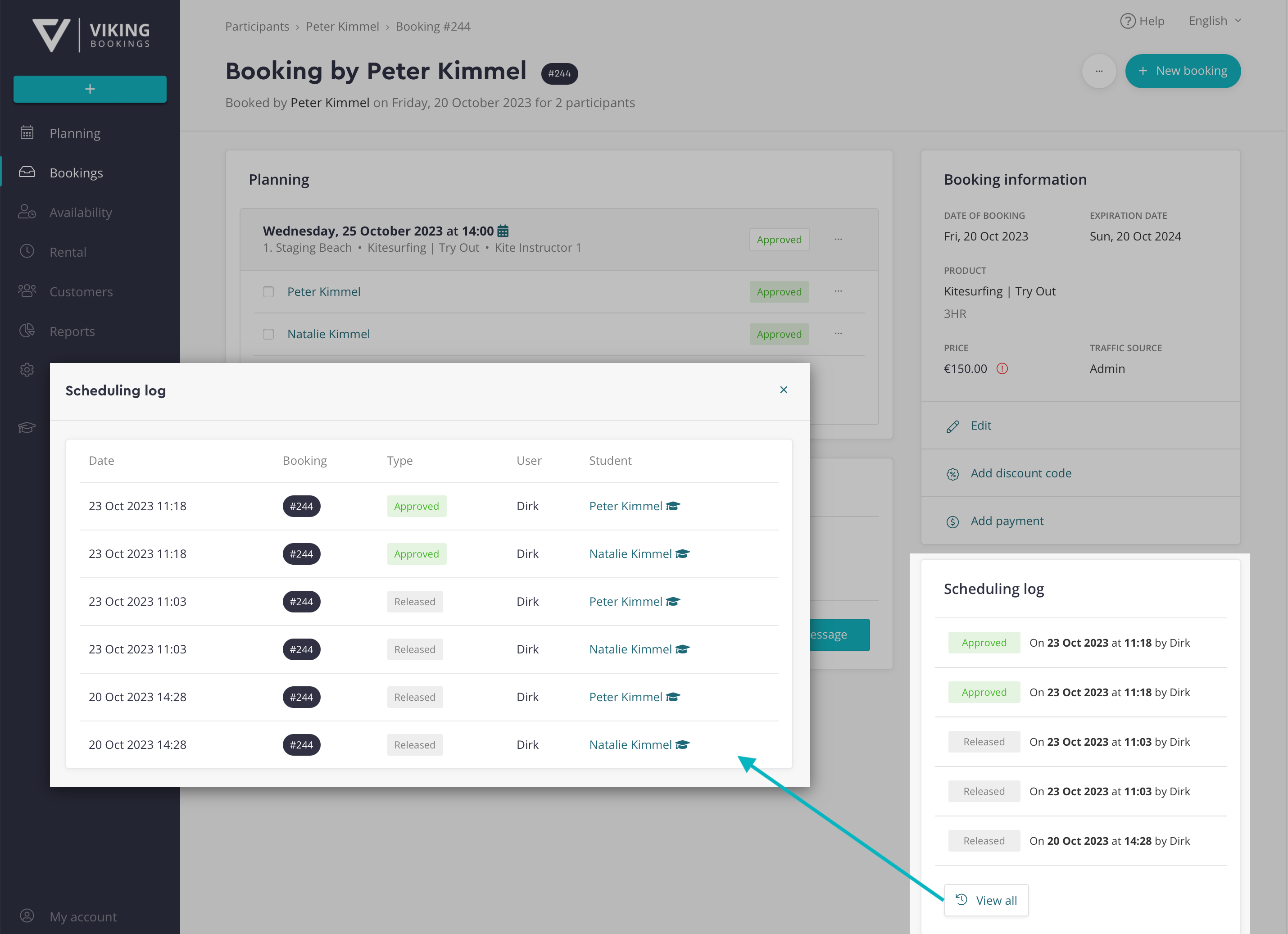
The booking page shows an overview of the most recent scheduling actions. This view is helpful to see if a certain booking has been rescheduled very often or not.
- These include the 'cancellation', and also the 'approved' or 'notified' actions.
- Click the 'view all' button to see the full history of scheduling actions for this booking.
3. Scheduling log for the customer.
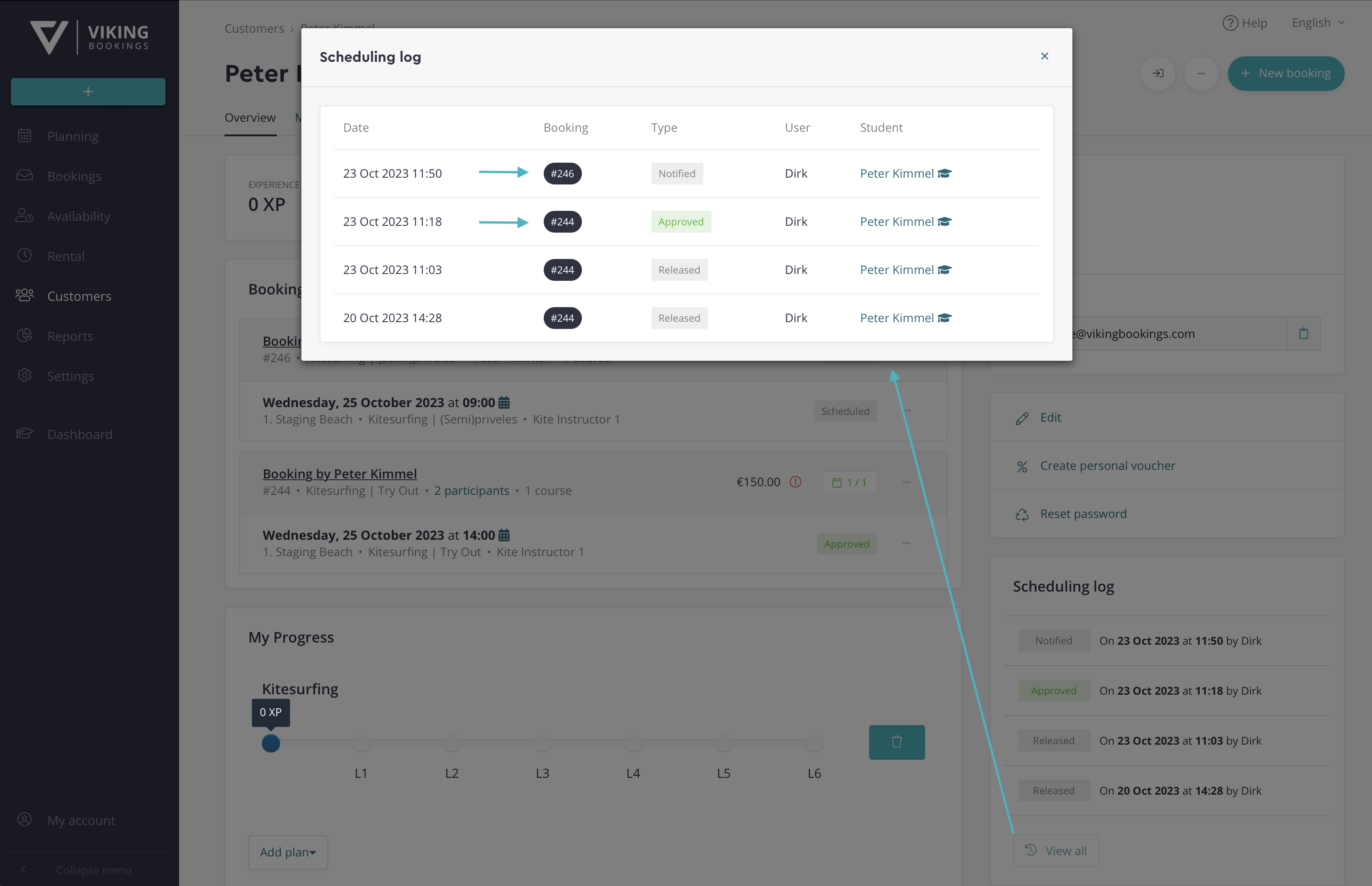
The customer profile also has a log of all the scheduling actions for this particular customer. This view is helpful if one customer has many separate bookings and you want to know if the customer has been rescheduled often.
- Click the 'view all' button to show the full history, all scheduling actions are included.
- Note that this log can include scheduling actions for different bookings, this is visible through the different booking numbers.