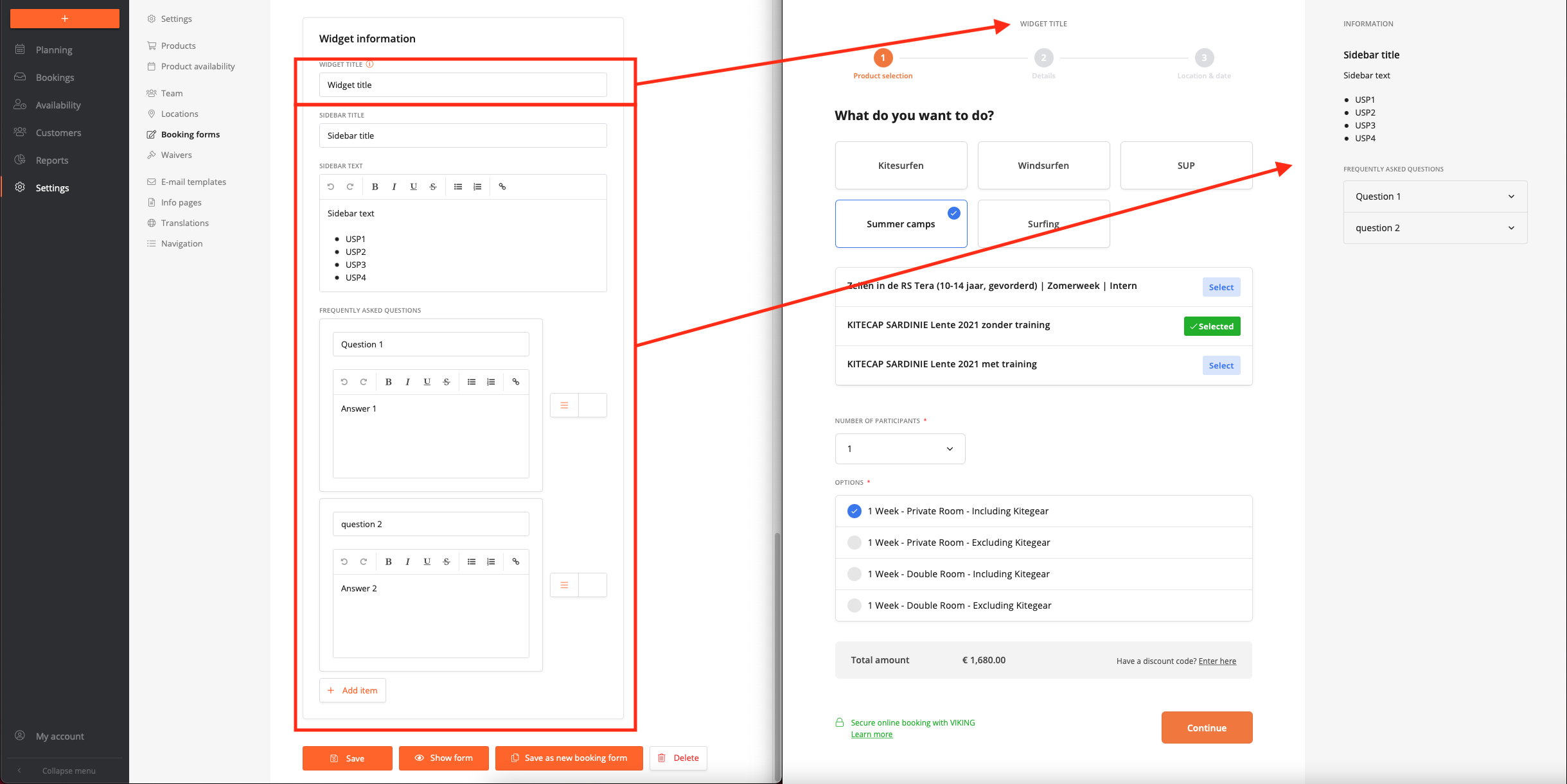
Go to settings -> Booking forms -> select booking form -> scroll down to 'widget information'
Widget title
Is used for the title in the booking form
Sidebar title
Is used for the sidebar title
Sidebar text
This is a general text area that does not have a FAQ toggle. This text is always visible. you can add your center's USP list here for example.
Frequently asked questions
If you click add item, you can fill in a question with an answer. We recommend not using more than 6 FAQ's.
Screenshot that shows the settings & the outcome on the booking form