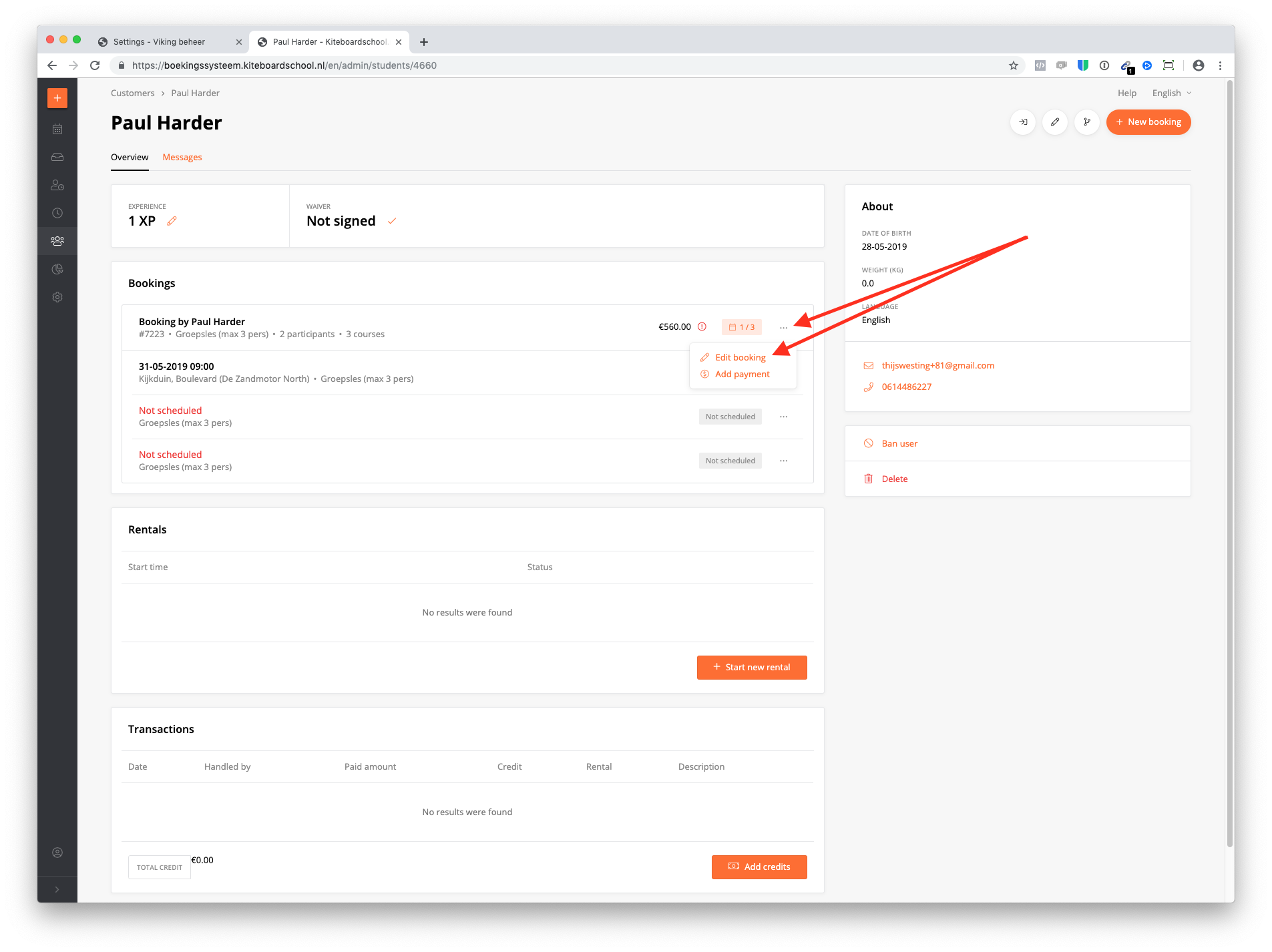
From the student page
Click on the 3 dots of the booking & click edit booking.
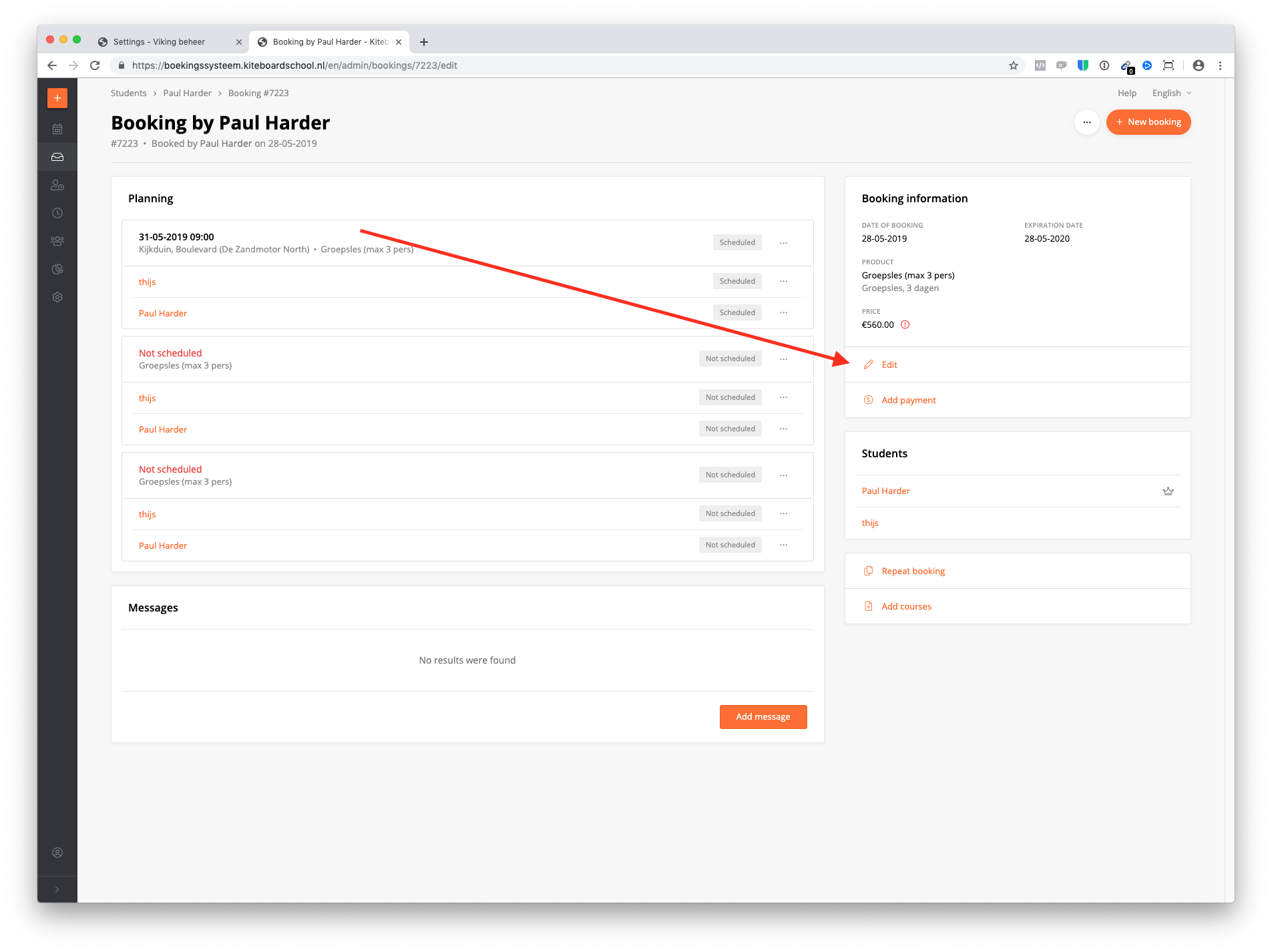
From the booking page
Click on 'edit'.
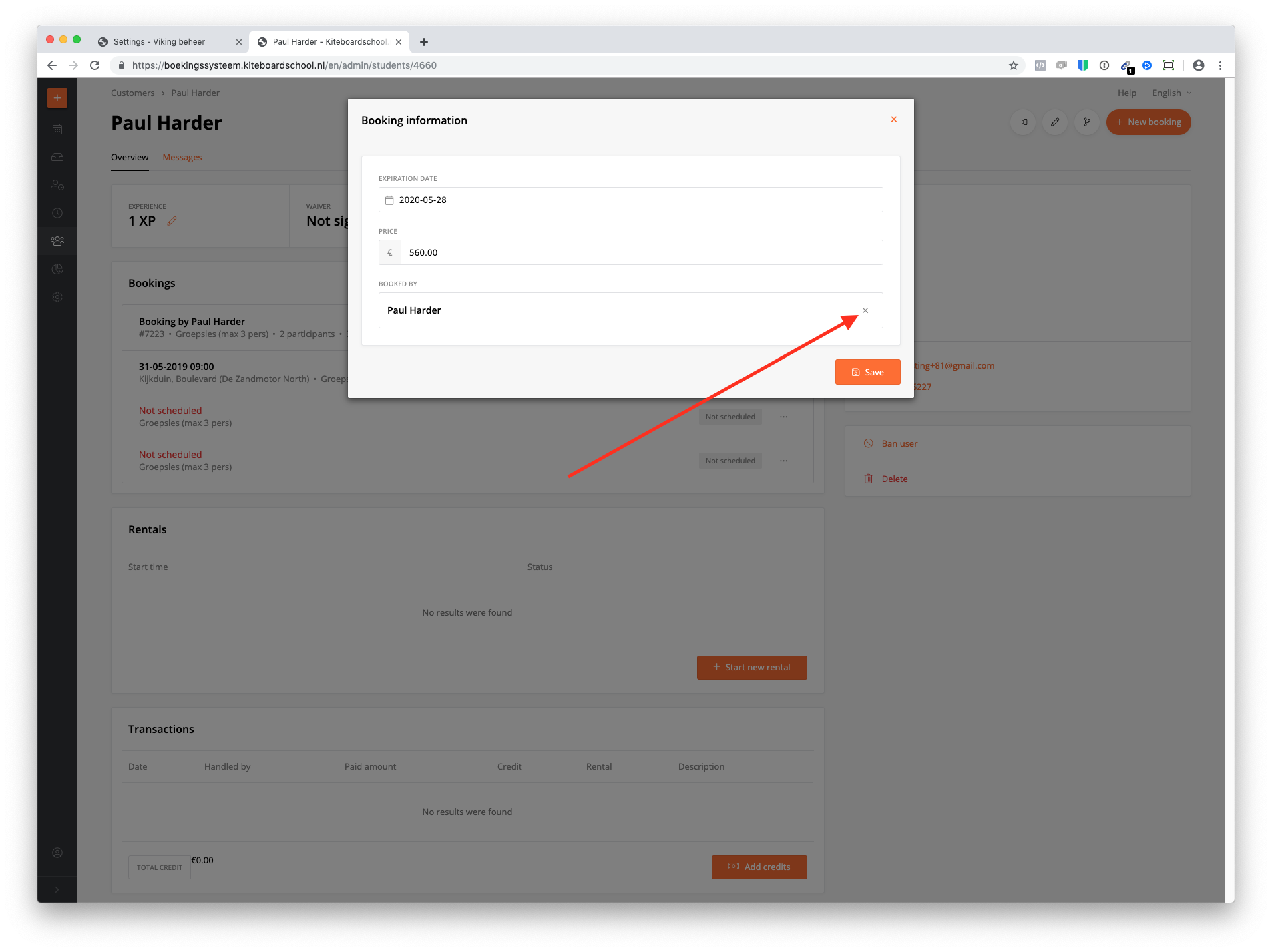
Click on the X icon.
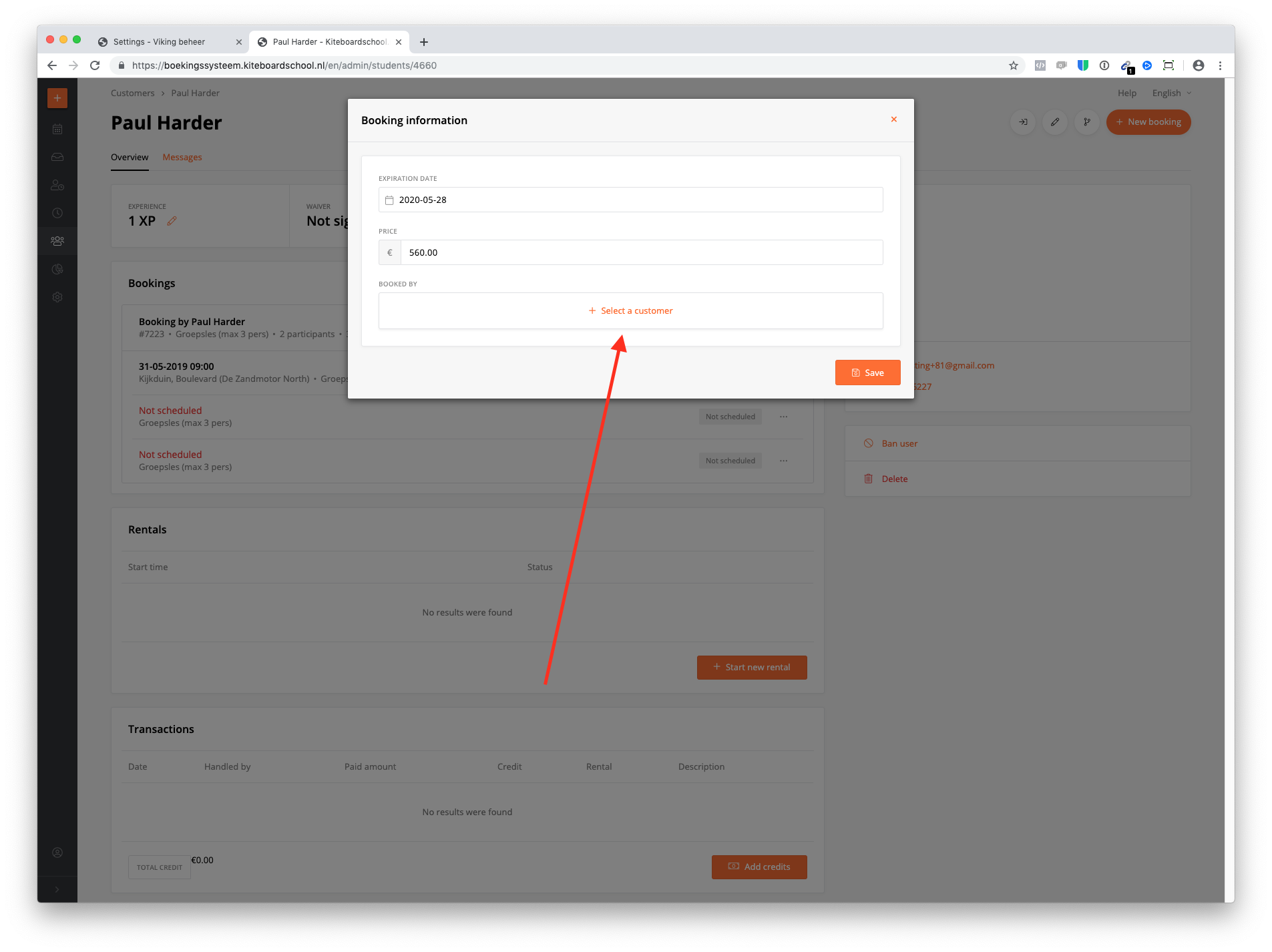
Add customer & click save. Now the booker is changed.
Click on the 3 dots of the booking & click edit booking.
Click on 'edit'.
Click on the X icon.
Add customer & click save. Now the booker is changed.