Any feedback we receive in the public beta phase will be handled with priority. This allows the development team to make precise improvements, leading to a reliable final product.
As this feature is in public beta, we’re actively working to address the following known issues:
- Required fields not enforced for custom questions
Status for custom questions set to 'required' is not honoured in the v2 forms and these can technically be skipped during booking. -
List view issues
In list view booking forms:- The text above the list does not appear.
- The first selected date and time are missing from the summary.
- Booking-level custom fields not included in student messages
Custom fields with scope set to booking are not included in the student's confirmation message. Fields with scope student do appear correctly.
We appreciate your feedback as we work to improve this feature during the beta period.
Why new booking forms?
1. Faster code (refactor)
The forms may look the same, but the code for them is completely rewritten and optimised to the latest standards.
2. New functionallity
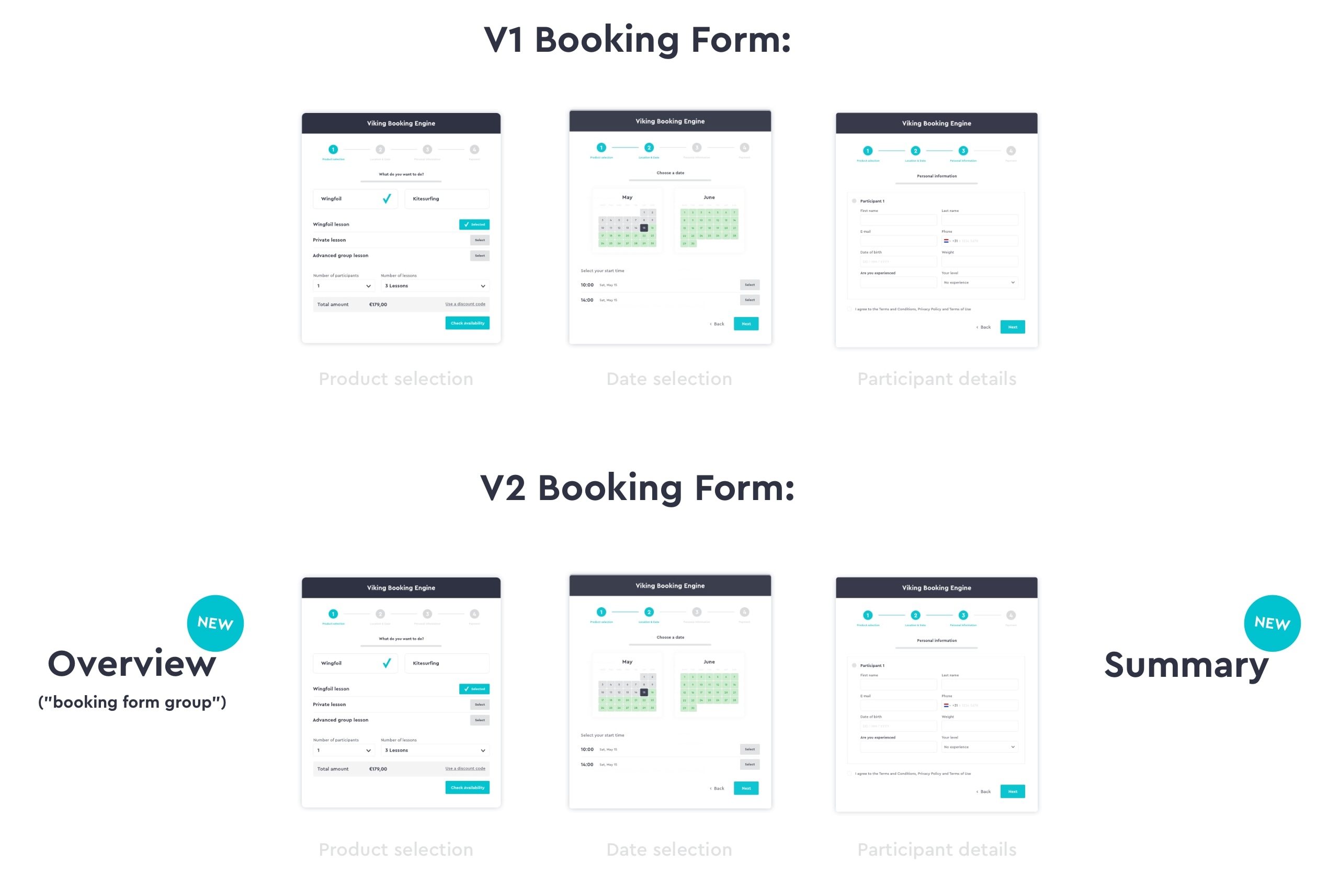
Basically there are 3 new features:
- Summary
Added at the end of a booking form, the summary page allows customers to review their booking and (optionally) add extra lessons. - Shopping cart
The sidebar in the booking form now shows an overview of all the lessons in the current booking. - Booking form groups (overview page)
Create 1 booking flow that includes multiple different booking forms, each with specific settings and products.
Using the V2 forms
We strongly encourage you to check out our documentation on what's possible with the V2 forms. The many new possibilities, especially with the 'booking form groups', mean that it might make sense to re-think your existing booking flow to make use of all the improvement.
At the same time, we want to make it easy to switch to the V2 forms, so there are 2 options, which can be used independently or simultaneously and in no particular order.
Option #1: Convert existing booking forms automatically
(only adds the summary page)
To make things as easy as possible, we've built one toggle that will instantly convert your existing booking forms to the V2 forms. This will keep all settings intact but it will have all the 'under the hood' improvement and only adds the summary page. In Settings > Booking:
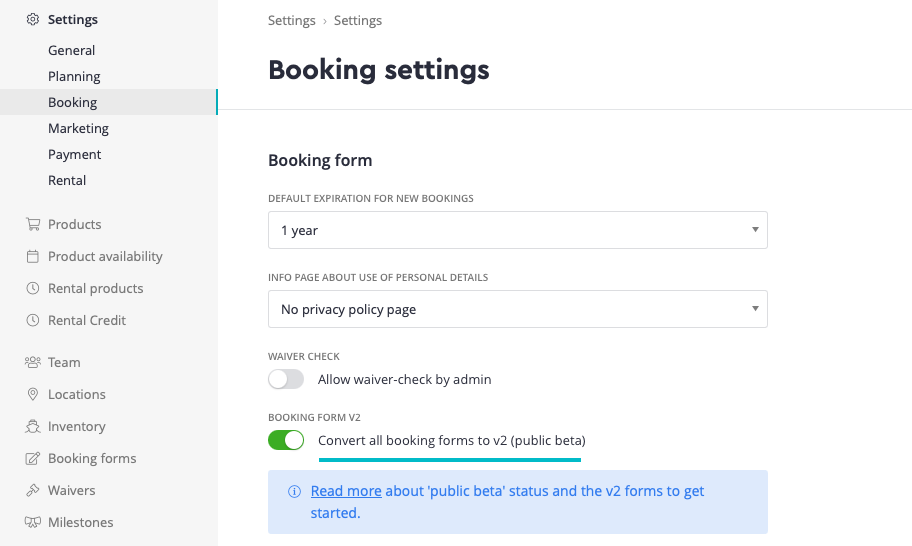
Important to understand:
- All 'Booking form URLs' remain the same, so there is no need to adjust links on your website.
- The 'summary' page is added in this booking flow, but it's not possible to add extra bookings (shopping cart) and there is no overview page to start with, as this requires a manual implementation.
- The flow becomes: Product Selection > Date selection > Participant details > Summary of booking > Payment
- It does remain possible to disable the toggle and switch back to the V1 booking forms.
Option #2: Create your own booking form groups
(use the overview page and shopping cart)
Do you want to make full use of the new functionality? Then you can create your own booking form groups (overview page) and decide which booking forms are displayed in a group.
- Also adds the overview page and 'shopping cart', in addition to the summary page.
- Design your own different booking flows in 1 or more forms.
To get started, please read the full article on creating booking form groups.