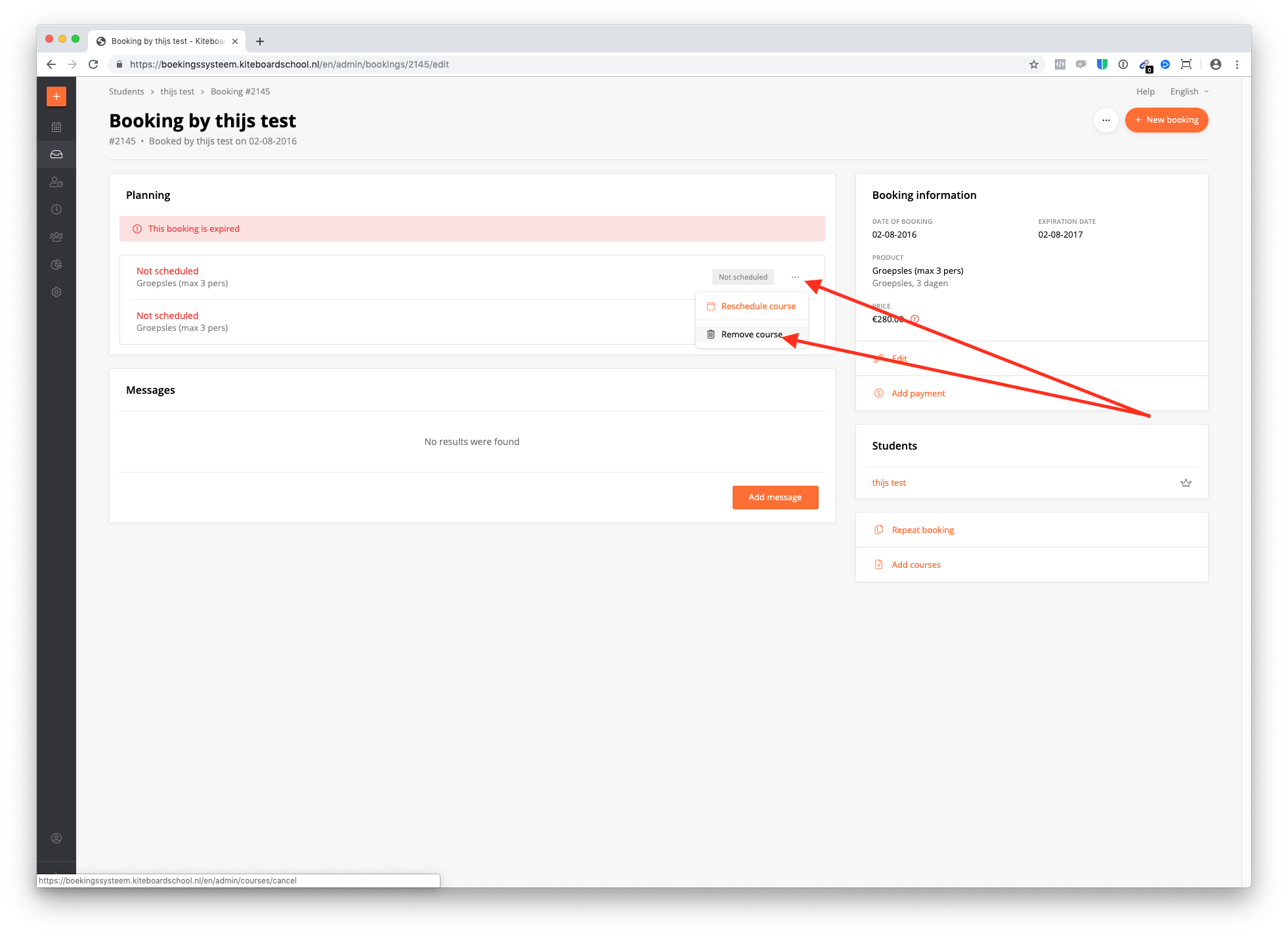
A booking can only be deleted if all course days within the booking are cancelled. How to do this?
- Go to the booking & select the 3 dots of the course. Click 'remove course'. Do this with all courses.
- If the payment has been done, make sure to click 'mark as unpaid'.
- Make sure the price is not 0.
If all 3 requirements are met, the button 'remove' will show up. Click this button & remove the booking.