By default, rental items in Viking are set up to be singe-person items, like SUP and surf boards. In this case, the number of items is the same as the number of participants.
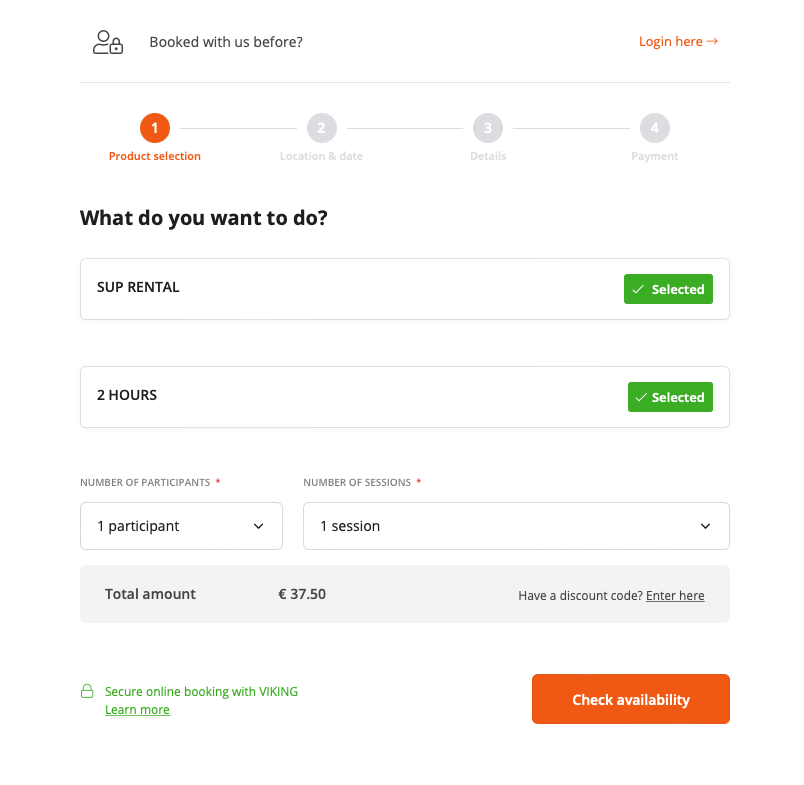
This screenshot shows this default setup:
Changing from 'participants' to 'items'
For multi-person items, it is now possible to create rentals setups where you choose the number of items instead of the number of participants.
The booking form will look like this:
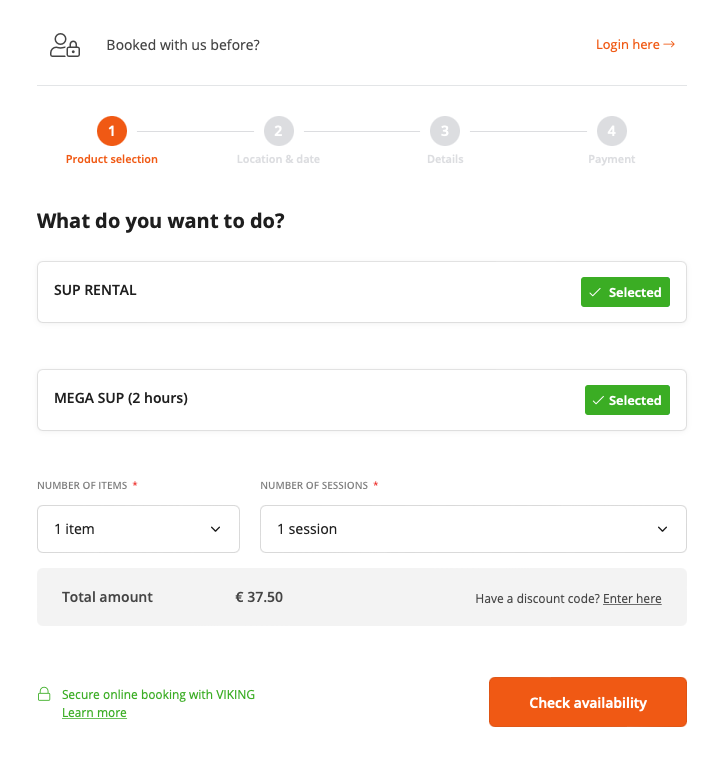
Showing the number of participants for Mega SUPs can be confusing, especially because it doesn't really matter if it's 3 or 6 people booking it. The price will only change on the basis of the amount of items, and not the amount of participants.
To change your setup it's important to change 1) the strings and 2) the product settings.
1. Changing strings
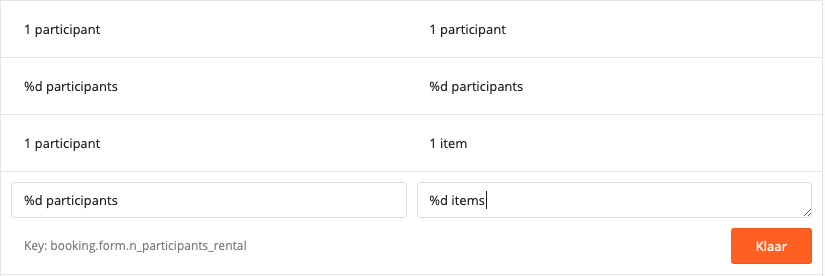
Go to Settings > Translations and use 'find on page' (CMD + f) to look up three strings. Change them as follows:
Number of participants > Number of items
(Key: booking.form.participants_rental1 participant > 1 item
(Key: booking.form.1_participant_rental)%d participants > %d items
(Key: booking.form.n_participants_rental

2. Change product settings
Now that you've changed the strings, it's very important to realise the effect this has on the product settings.
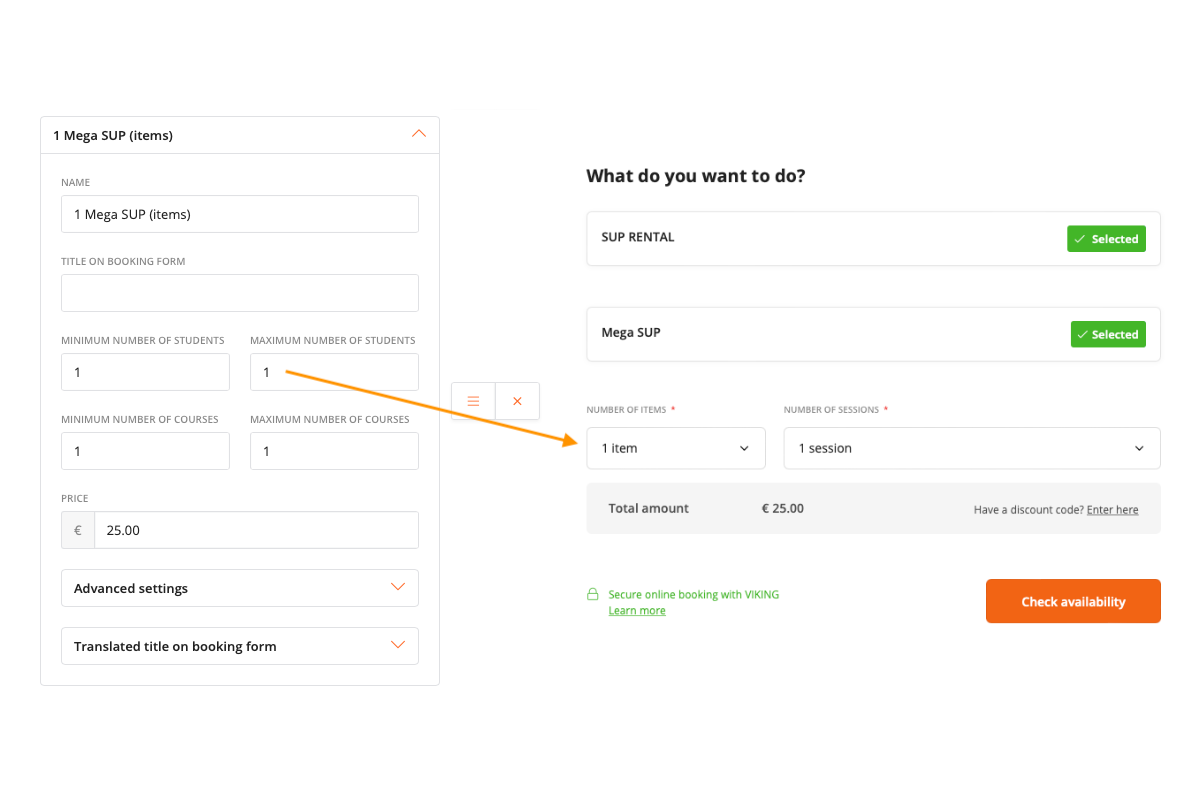
In the 'variant's for rental products, you'll still see the regular terminology of 'participants' and 'courses'. But keep in mind, the booking form will show 'items'.
If you already had a Mega SUP setup, it's likely that you had a variant for 6 people, 12 people and 18 people. This would correspond to 1, 2, or 3 Mega SUPs. The variant settings would correspond to the booking form like this:
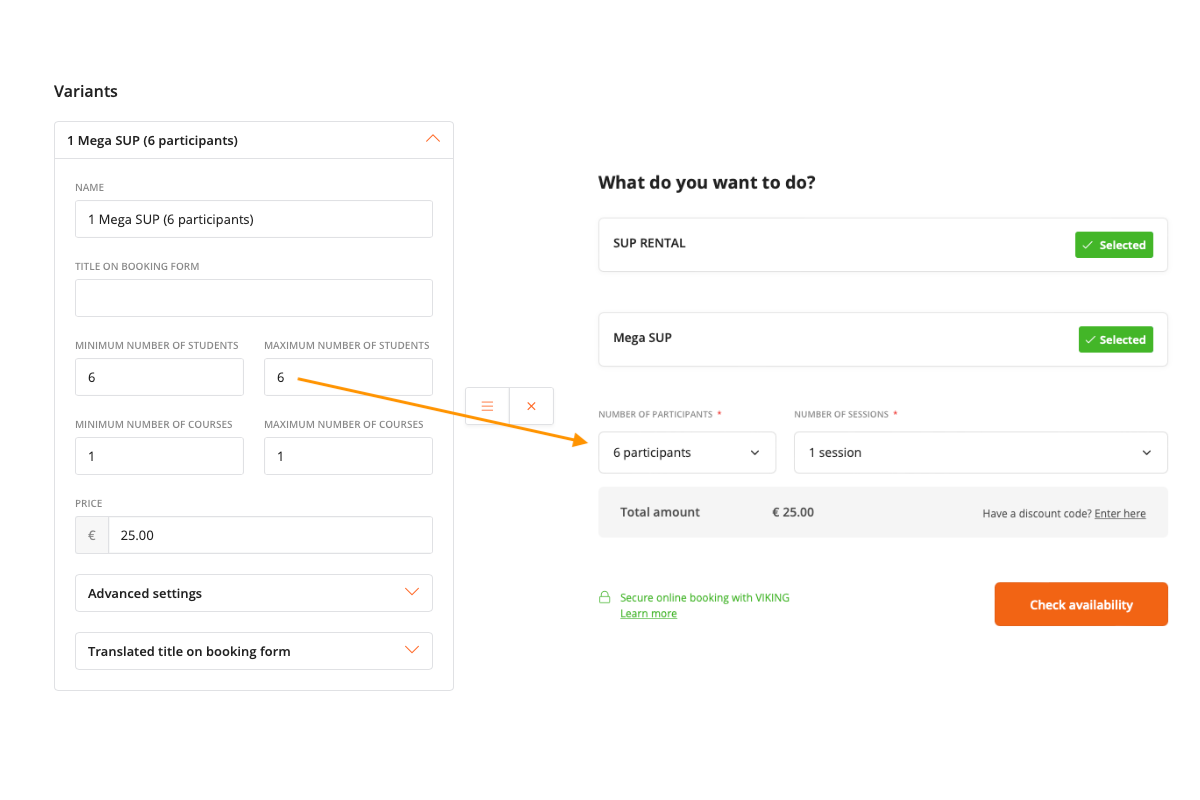
Now that the booking form shows 'items', adjust the variant settings so that the prices are correct for the number of items!
Changing the strings to 'items' will cause every rental-type product to show items, also the regular SUPs or surfboards. Please review your settings for all rental products to make sure the settings are correct and make sense for the customer.