What is a camp?
Camp is a product that automatically schedules an X number of days in a row. This does not take instructors availability into account. Planning a camp is done directly from product availability, where you only enter the start date and time. Then VIKING automatically plans the rest of the days of the camp in a row. When using the product camp, we recommend the 'list view' setting in the booking form.
1. Add product category camps
settings --> products --> product categories --> new --> fill in name and click save.
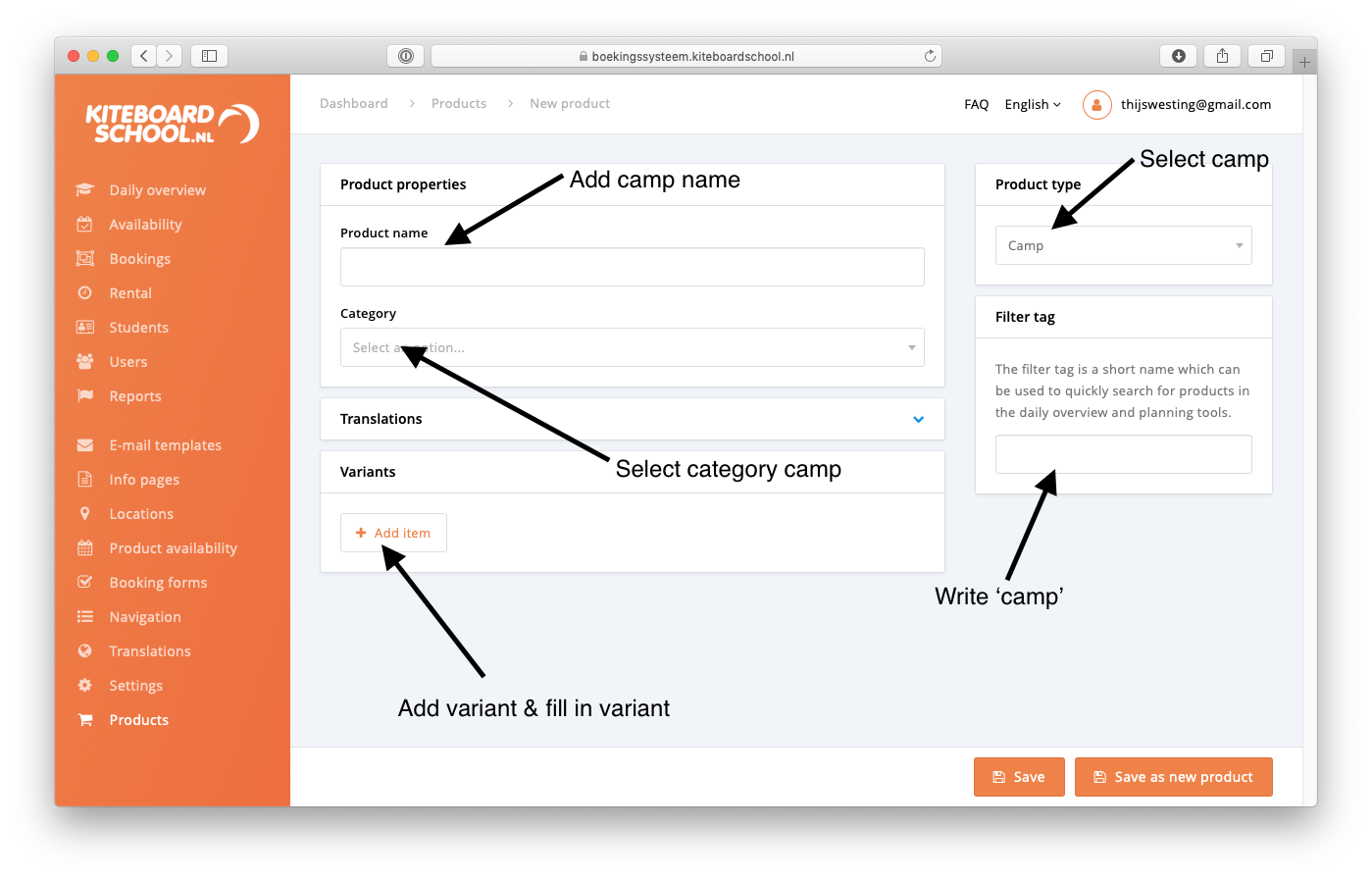
2. Add product camp
If you don't know how to build variants, please read this first (from point 3. Variants).
settings --> products --> add product
3. Add product availability
When adding product availability for camps, make sure to only add the start day and time. The system will automatically plan the rest of the days of the camp, as set in the variant.
settings --> Product availability --> new rule
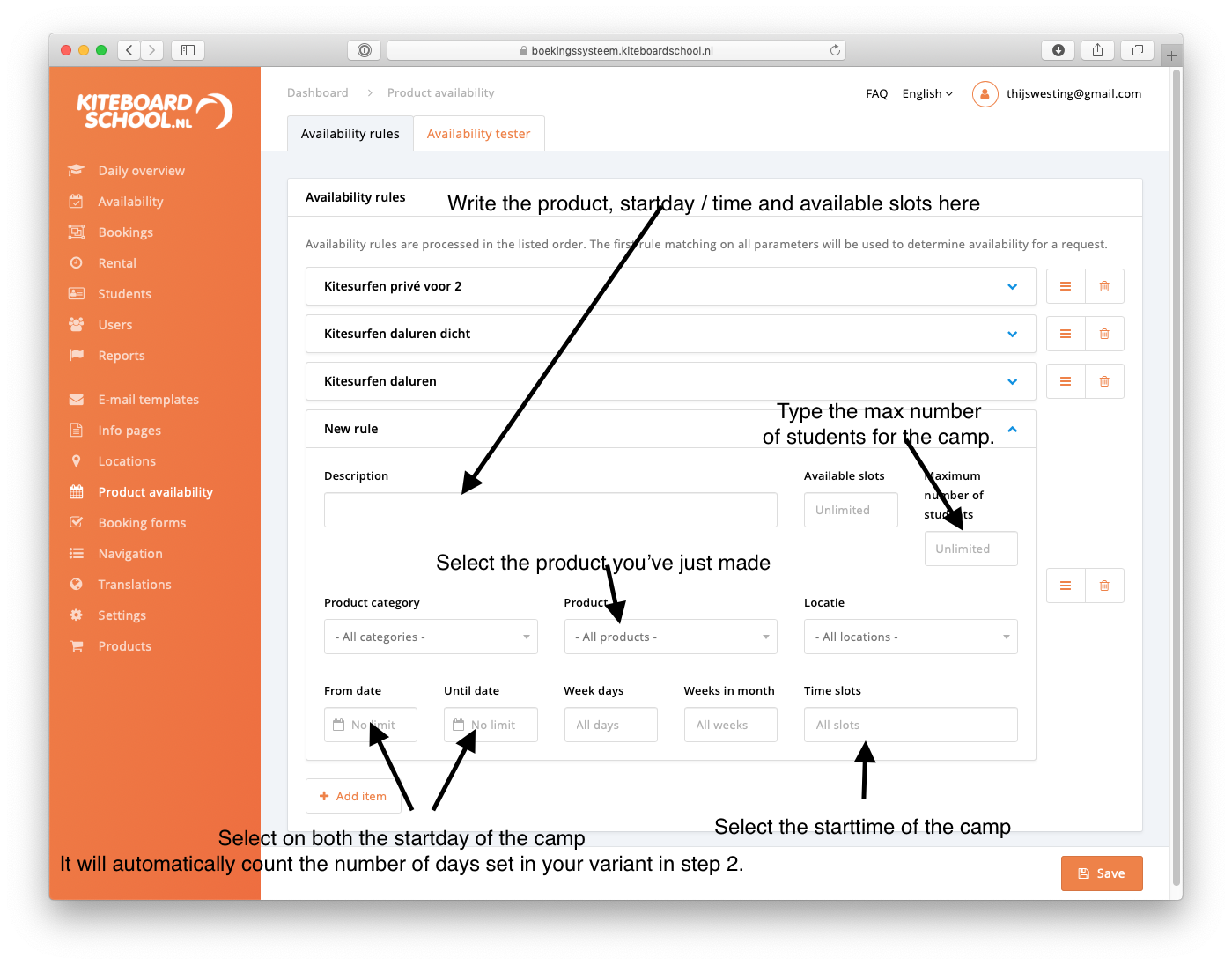
For the next starttime, click 'add item' and repeat. When you've put in all start times, click save.
4. Build a booking form
settings --> booking form --> create booking form