What inventory tracking is meant for.
What could it be used for as well?
- Rental situations for 'simple' items (functionally similar SUP boards, kayaks, cruiser bikes, e-bikes etc.)
- Assigning the max. capacity of a number of boat spots, that have to be shared over multiple kitesurf lessons, if you're teaching from boats.
- Registering which kites/sails/(surf)boards have been used for lessons.
- Tracking mixed inventory rentals (i.e. you have multiple different sized boards / kites / sails but cannot let the customer pick the size upfront, because it depends of the windspeed / wave height on the rental day).
- Single products that are bookable on multiple locations, with a different inventory per location (different locations only work if you have different products for every location, or a shared inventory for all locations).
- Inventory tracking in combination with the 'rental module' (this is a separate sold product that most of our customers don't know of. It only works in very specific situations). The rental module and inventory tracking do not work together.
Setting up Inventory Tracking
- In 'Settings > Inventory' you can now add inventory items and set the default available quantity. For example: 12 SUP boards
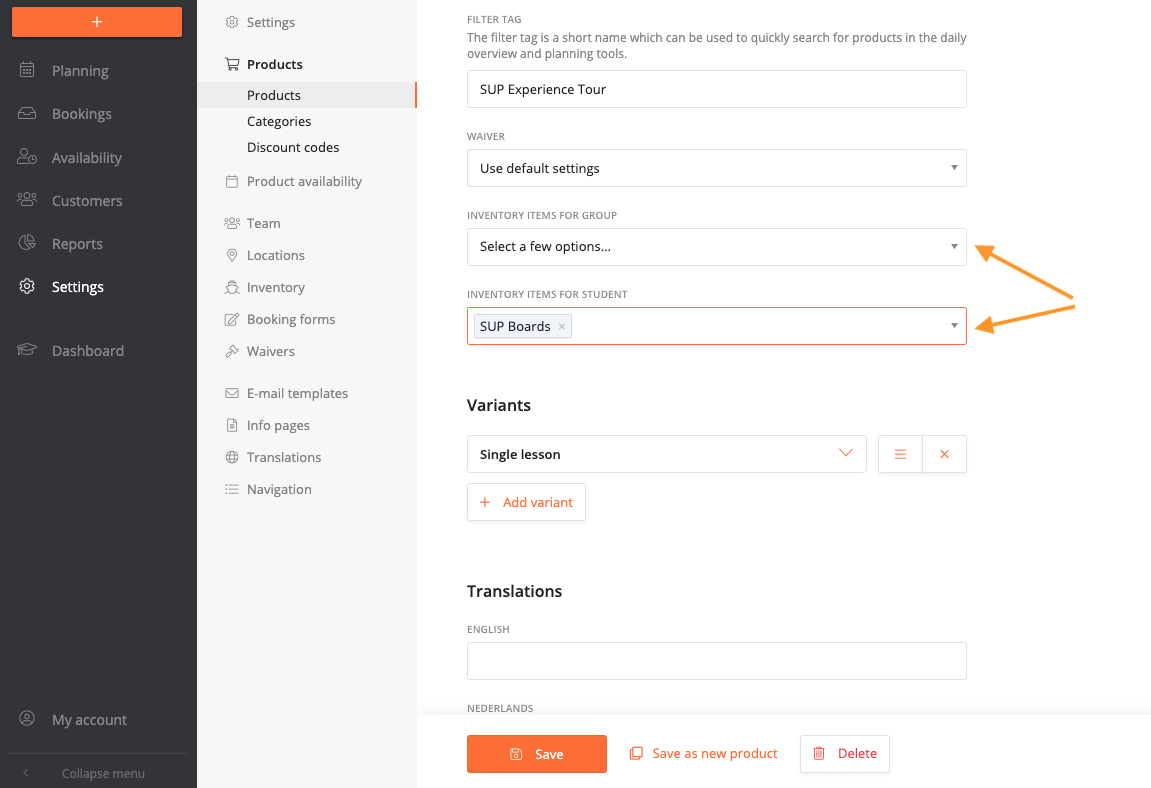
- Now in 'Settings > Products', it's possible to assign how products have to draw from a certain inventory item. For every product, set:
• 'Inventory items for group' means for every group 1 item will be assigned.
• 'Inventory items for student' means for every student 1 item will be assigned.
• It's possible to set more than 1 item per student or group (i.e. Wing + SUP). - For Rental-type products, it's now possible to set the duration in the product settings. So add the correct duration for all rental products. Important: a product can only have 1 duration. So for a 1 hour and 2 hour SUP rental, always create 2 separate products!
In the SUP example: set SUP Boards to 'student', and in case your instructor needs to use a board from the inventory as well, also set SUP Boards to 'group':
It's possible to set different 'items for student' for different Variants, in the advanced settings of the variant. You would use this, if you have a lesson with 2 variants: one with board included and another variant for people with their own board.
Working with Inventory Tracking in the planner
For every booking, the system will now check if there are enough boards/items available, taking into account the duration of all lessons and rentals that have been setup to use inventory tracking. This means that if you have 12 boards and 5 people are signed up for a 3 hour lesson at 11AM, there will be 7 more boards/places available for either board rentals or additional lessons between 11AM and 2PM. After 2PM, all boards are available again.
This information is displayed in several new ways.
Inventory tab
In 'Planning' you now have an extra 'Inventory' tab where you have 2 views:
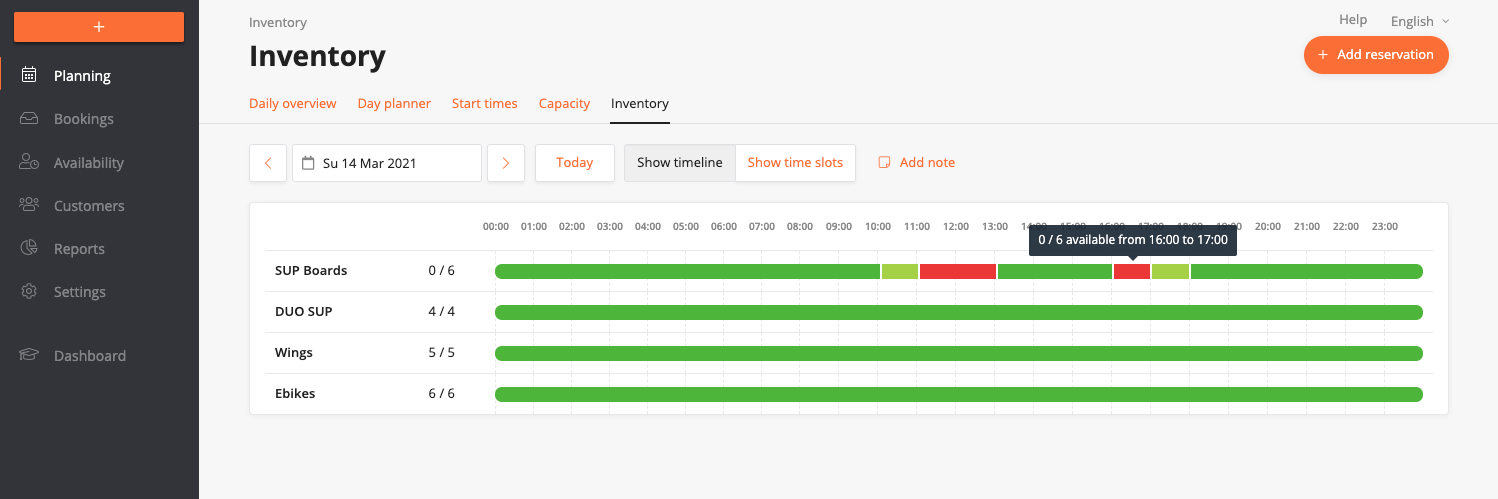
- Timeline - displays a 24 hour timeline, with colours indicating the availability. The advantage here is that you have a better overview of the duration of the sessions. You can click every time block to see which bookings have been assigned which products.
- Time slots - displays for every time slot how many boards are available. By clicking the number, you can also see the current existing reservations for this board.
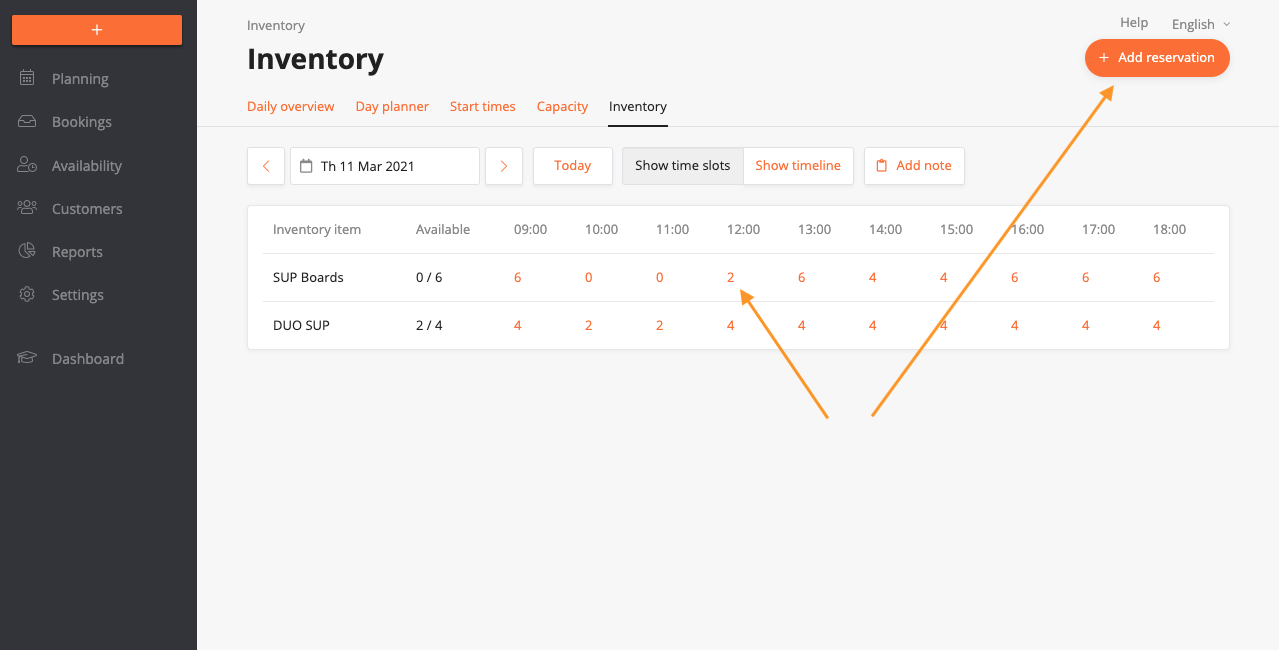
When you have walk in customers or anything else that makes a claim on your inventory, you can manually 'reserve' boards with the '+ Add reservation' button in the top right.
Day planner
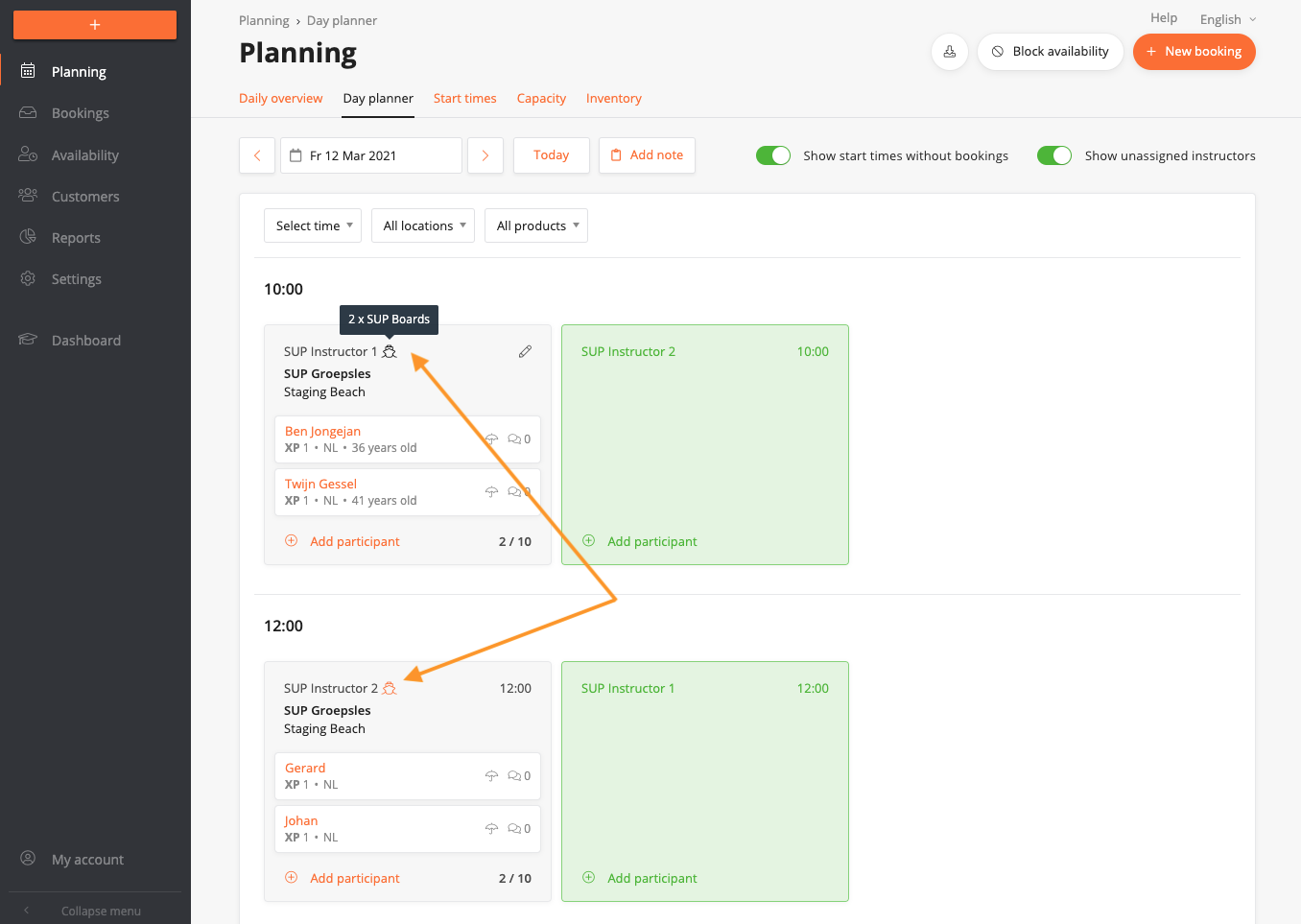
In the Day Planner, every group that is using items from an inventory will have a small 'boat' icon next to the instructor name. This indicates there are inventory items claimed for this lesson. Hoover over the icon, to see the exact amount/type of items that have been allocated for this lesson.